Loupedeck Image Devices
Loupedeck Software 6.0.3 required
No later version of Loupedeck Software is supported, as Loupedeck broke dynamic image updates in all later versions.
The Loupedeck Software 6.0.3 Installer can be found here
Logitech Options+ must not be installed
Loupedeck support is a complete edition feature
-
Exit SPAD.neXt
-
Install SPAD Loupedeck plugin. You will find it in the GamePlugins-folder of SPAD.neXt installation folder
-
Restart Loupedeck app
-
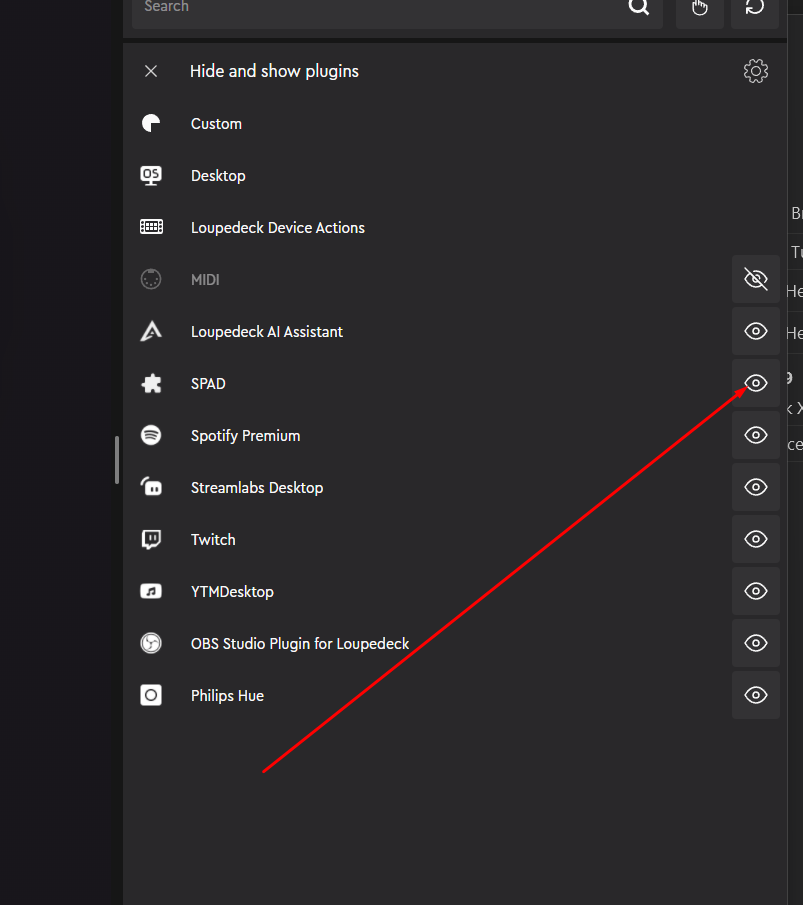
In Loupedeck Software unhide the SPAD plugin
-
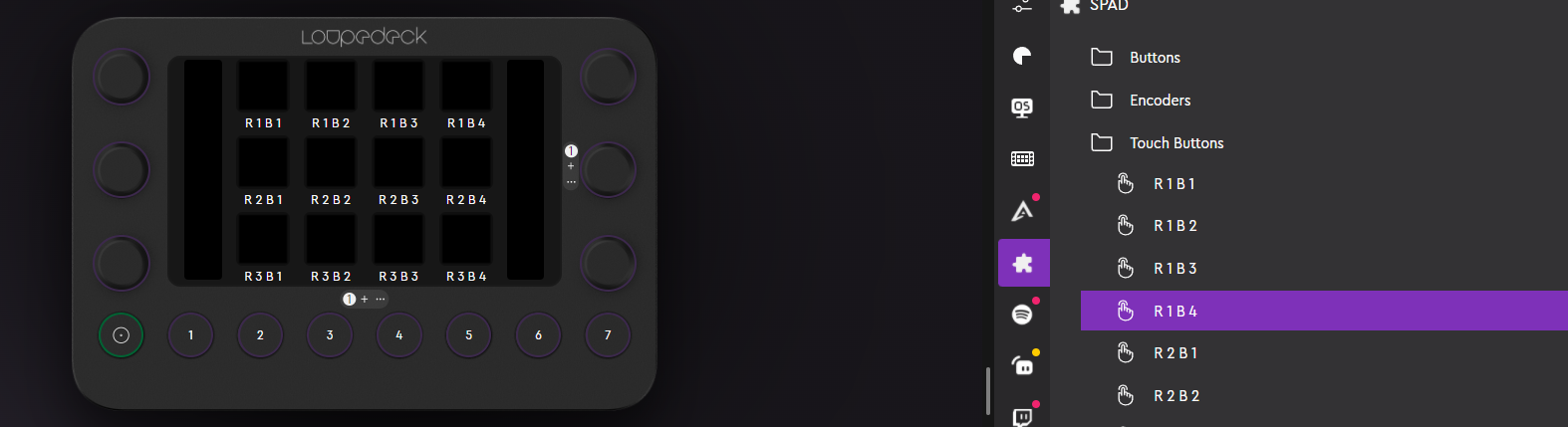
Create a new Loupedeck Profile and drag the Spad-Actions onto the buttons
-
Buttons should show the Buttonnames on them now on device
-
Start SPAD.neXt , make sure WebApi is enabled. (You can check by opening http://127.0.0.1:28001/ , it should show some api page)
-
After about 15secs the Loupedeck should show in Panels , and all buttons on device should go blank. (You might also want to enable the "Wait" option in Settings->Devices->Remote Devices)
-
if everything fails, open a ticket and attach
%LOCALAPPDATA%\Logi\LogiPluginService\Logs\plugin_logs\SPAD.log
The source code of the SPAD.neXt Loupedeck plugin is open source and can be found on the SPAD.neXt Github. Pullrequests are welcome if you update the code to a later Loupedeck version.